

Quick overview
See the status of cases and tasks directly in NetSuite.


With SuiteCorner’s interactive Kanban Boards for NetSuite, you can visualize your sales pipelines, cases, and projects in real time. Move tasks forward, assign responsibility, and trigger automated actions — all within NetSuite.
The word Kanban originally comes from Japan and roughly means “visual card.” It was first used in the manufacturing industry on assembly lines to signal when something was needed, ensuring the line never had to stop. Today, it is a de facto standard in modern process management for visualizing tasks and their status using information cards instead of text-based lists.
SuiteCorner has developed a principle within NetSuite to manage all types of cases and tasks through visual and interactive Kanban boards. For example, sales pipelines, support cases, marketing tasks, projects, and much more.
See the status of cases and tasks directly in NetSuite.
Move cards between stages and trigger automated actions.
Customize boards for sales, support, projects — or your own processes.
Track KPIs such as order values, cases, and average processing times in real time.
Simply put, a Kanban Board consists of several columns that represent different statuses. When a case comes in — for example, an email inquiry from a potential customer — it appears as a card in the first column, such as Prospect. The card contains the information received in the email.
A salesperson then takes the card and drags it to the Lead column. When this happens, certain actions are triggered automatically. The card becomes a Lead and is assigned to the salesperson who moved it. From there, meetings can be scheduled, notes can be added, contact persons can be included, and more — directly from the card.
The process continues in the same way. For each step taken with the contact, the card is moved to the appropriate column. The information can be edited along the way, and a status change can notify another department that something is in progress.
A major advantage is transparency. Everyone can see what has been completed and what remains before a deal is closed, ensuring that nothing falls through the cracks.
Of course, you define all the criteria for the information displayed on the cards, the rules for how cards can be moved, what actions are triggered automatically, and where the information should be recorded — all based on the workflows and processes within your organization.
As mentioned, SuiteCorner’s Kanban Boards are designed to handle virtually any type of process where something moves between different statuses and specific actions need to take place depending on the stage.
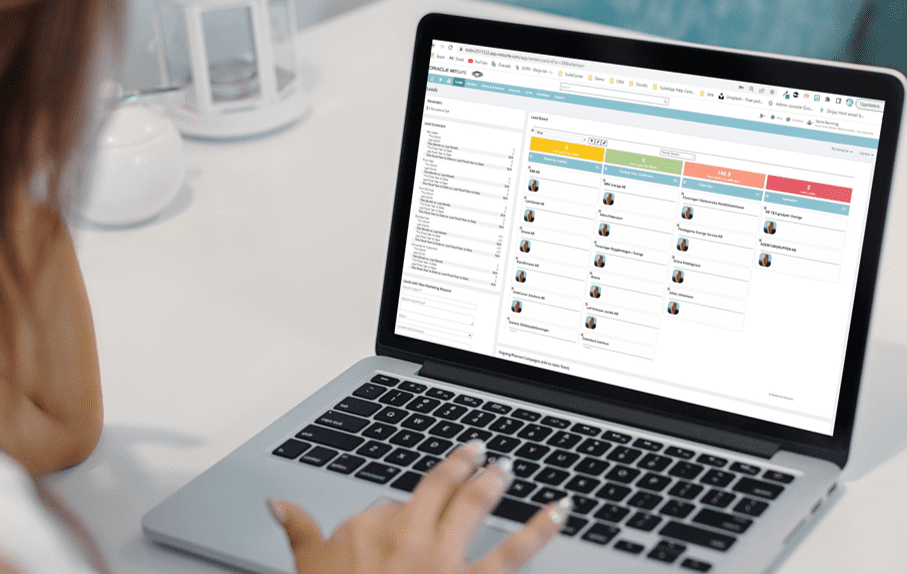
In SuiteCorner’s solution CRM Accelerate for NetSuite Kanban Boards are an important part of visualizing flows, steps, and statuses of various customer cards. Looking, for example, at the Pipeline Board where a Lead ends up after an initial positive contact, the entire process from opportunity through qualification, quote, negotiation, to purchase and finally, won sales is visualized.
As soon as an account manager takes a potential customer out of opportunity and puts it into qualification, it is linked to the account manager, and all planned meetings, calls, and documents are tied to the customer card and follow through the entire process.
All account managers can see where the customer is in the process, what needs to be done, and nothing needs to fall through the cracks. Together with clear KPIs and various filters, you have full control, all the time.
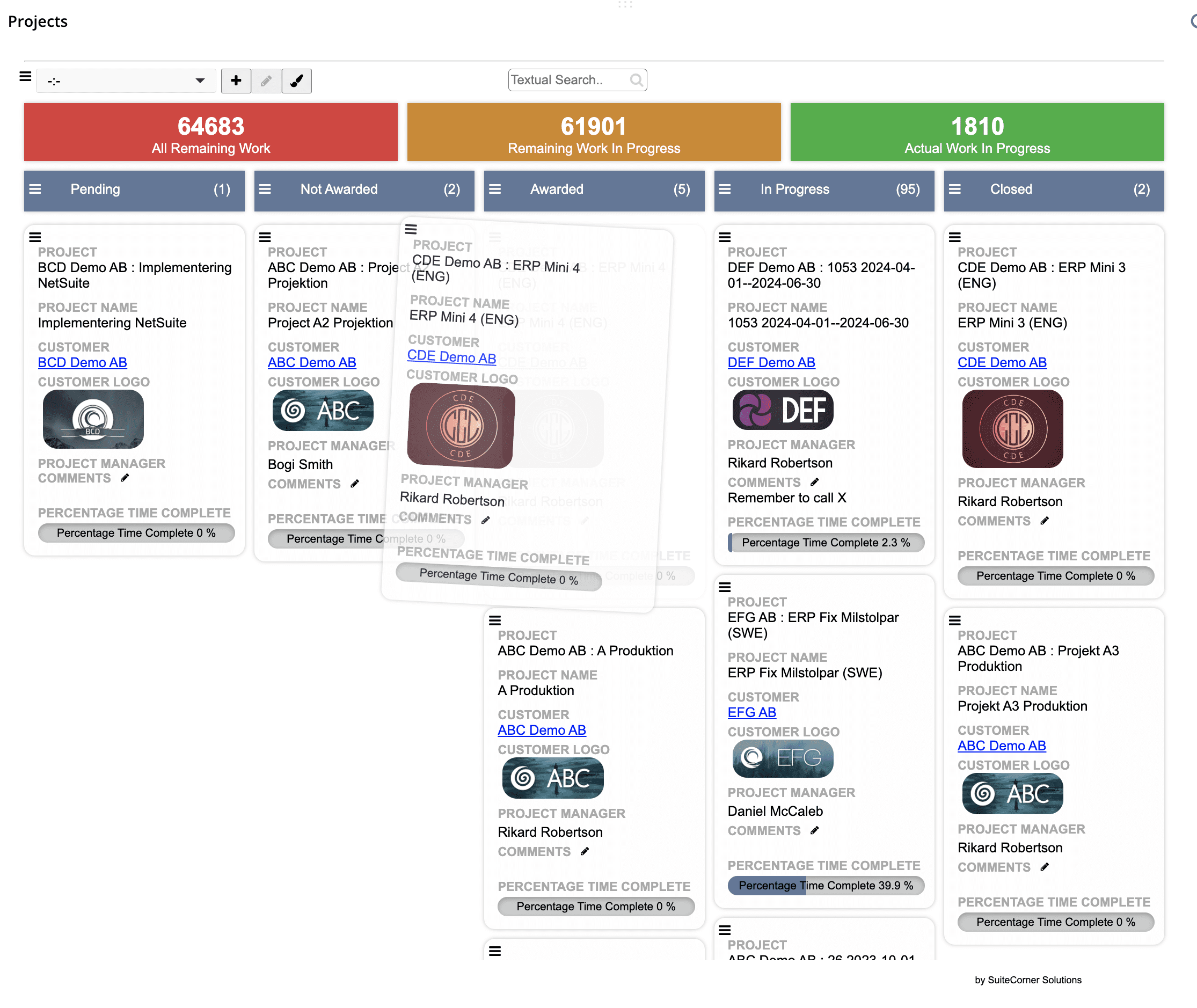
Thanks to the flexibility SuiteCorner has built into Kanban Boards, it is possible to handle all sorts of projects in one board. With the help of various filters, you as a project manager can easily display and manage multiple projects at a truly high level where you can easily see the overall status of all projects, which project has just started, which is close to completion, and so on.
Or on a specific project, see how the different major phases are progressing, or at a detailed level, how are individuals’ tasks in line with the plan? This flexibility makes Kanban Boards for projects just as suitable in a management meeting as in the weekly meeting for detailed planning and prioritization.
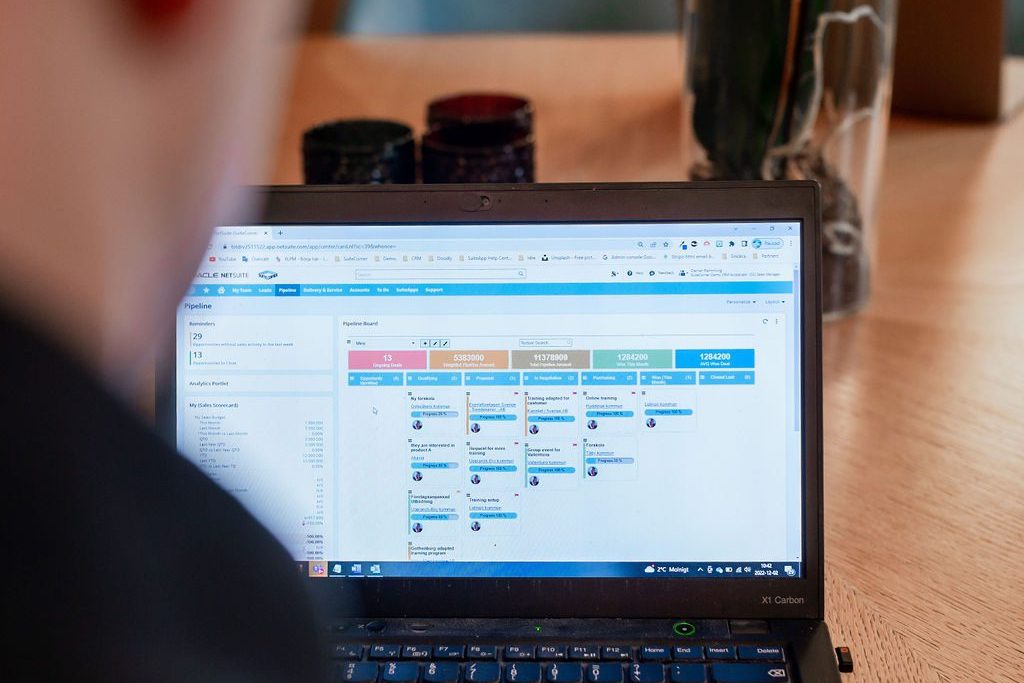
To give you an even clearer view of how the different cards and their statuses impact processes and outcomes within the organization, we have linked a number of KPIs to each Kanban Board.
For Sales, this may include aggregated estimates of order values, quotations, and closed versus lost deals. For Support, it can include the number of incoming, active, and resolved cases, average handling time per case, and more.
Naturally, these KPIs are configured based on how you measure your business, ensuring they are accurately represented not only within each Kanban Board but also in the reports generated from NetSuite.




Kanban Boards for NetSuite have given us a better overview of our sales processes, and now the salespeople have full control over customers and ongoing deals.
Roger Lindstrand, Regional Sales Manager. Sigicom Nordic

At SuiteCorner, we have laid the foundation for you. To help you get started quickly and maximize the value of Kanban Boards, there are several preconfigured and ready-to-use boards available within sales, marketing, support, and project management. Of course, you can also create your own Kanban Boards tailored to a specific process and the data you want to visualize.
If your specific needs require additional configuration, SuiteCorner is always there as your partner whether through training or by helping you implement the solution directly.

Fill out the form below, and we’ll send you more information about NetSuite and Kanban Boards.

Here we go again. It’s time to summarize our series of posts on kanban boards in Netsuite. For those of you who has followed the earlier posts ...
Read more
Having visibility and control over all deals will help your sales team, and your business, to close more deals and earn more money. This is ex...
Read more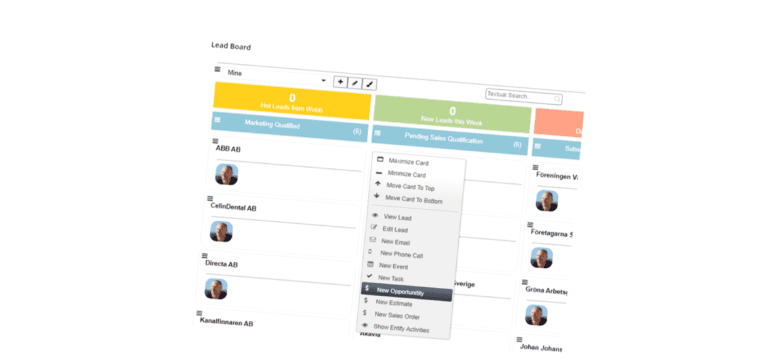
After my last blog about kanban boards, I got some questions about what our pre-configured lead board looks like and how it can help in the proce...
Read more