

Time-saving automation
Compile reports without manually copying or merging data.


Reporter for NetSuite streamlines reporting by combining numbers, graphs, key figures, images and texts in a unique format that is displayed and filtered directly on your dashboard. With customizable standard reports in finance, projects and sales, you can easily combine any data in NetSuite to save time and automate your reporting.
Reporter streamlines business reporting by automatically compiling information from multiple data sources in NetSuite. This eliminates the need to copy and paste data from reports, saves time during the monthly close, and provides higher-quality decision support.
With ready-made templates for finance, projects, and sales, organizations can get started quickly. Reports can be displayed directly on the NetSuite dashboard, filtered as needed, or sent automatically via email. The result is a modern, visual report that combines numbers, text, images, and charts—fully tailored to your needs.
Compile reports without manually copying or merging data.
Combine charts, text, and figures in the layout that suits your organization best.
View and filter reports directly from your dashboard in the system.
Use prebuilt reports or create your own based on your business requirements.
Many companies spend significant resources compiling data manually each month. Reporter automates the entire process and frees up valuable time for finance teams and decision-makers.
By combining multiple data sources and creating reports that update automatically, you gain better control, faster insights, and a reduced risk of errors. This means fewer manual steps, lower costs, and more proactive reporting.
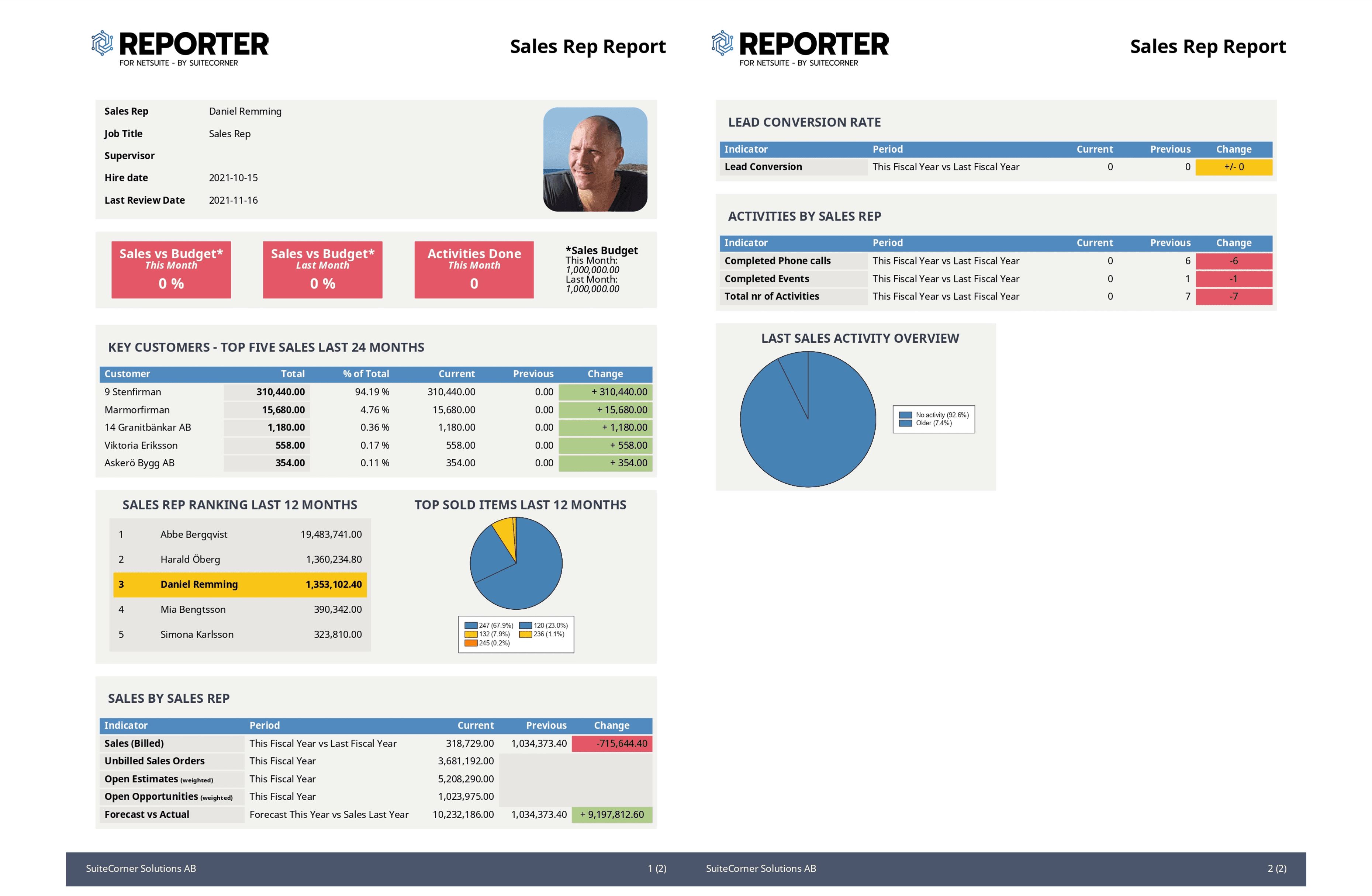
With a library of components and templates, you can create professional reports with numbers, text, charts, KPIs, and images. Everything is presented in a consistent and easy-to-understand format.
The right structure and layout help the recipient absorb the information more quickly. With Reporter, you decide how the reports should look—both visually and in terms of content.
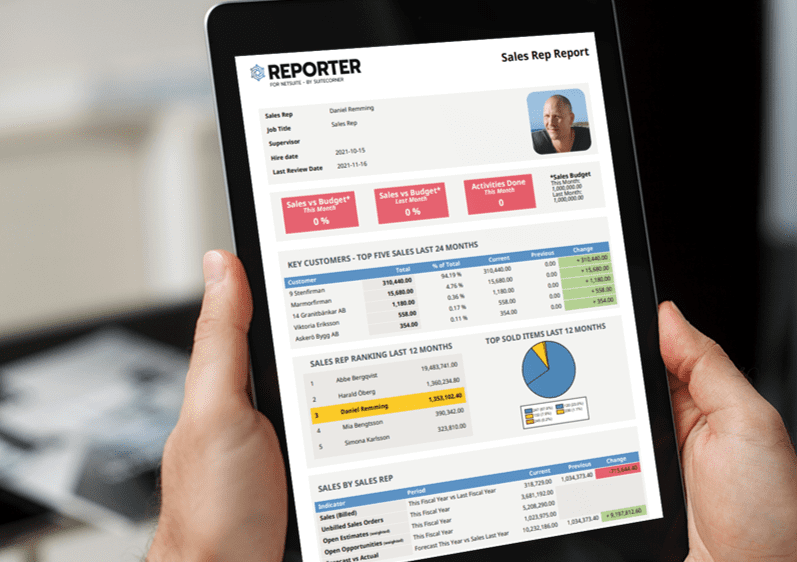
All reports can be accessed directly from the NetSuite dashboard or generated from, for example, customer records or project entries. If you prefer to distribute reports automatically via email, you can easily schedule deliveries to selected recipients.
This makes it possible to deliver the right information to the right person—at the right time—without anyone needing to manually collect the data.
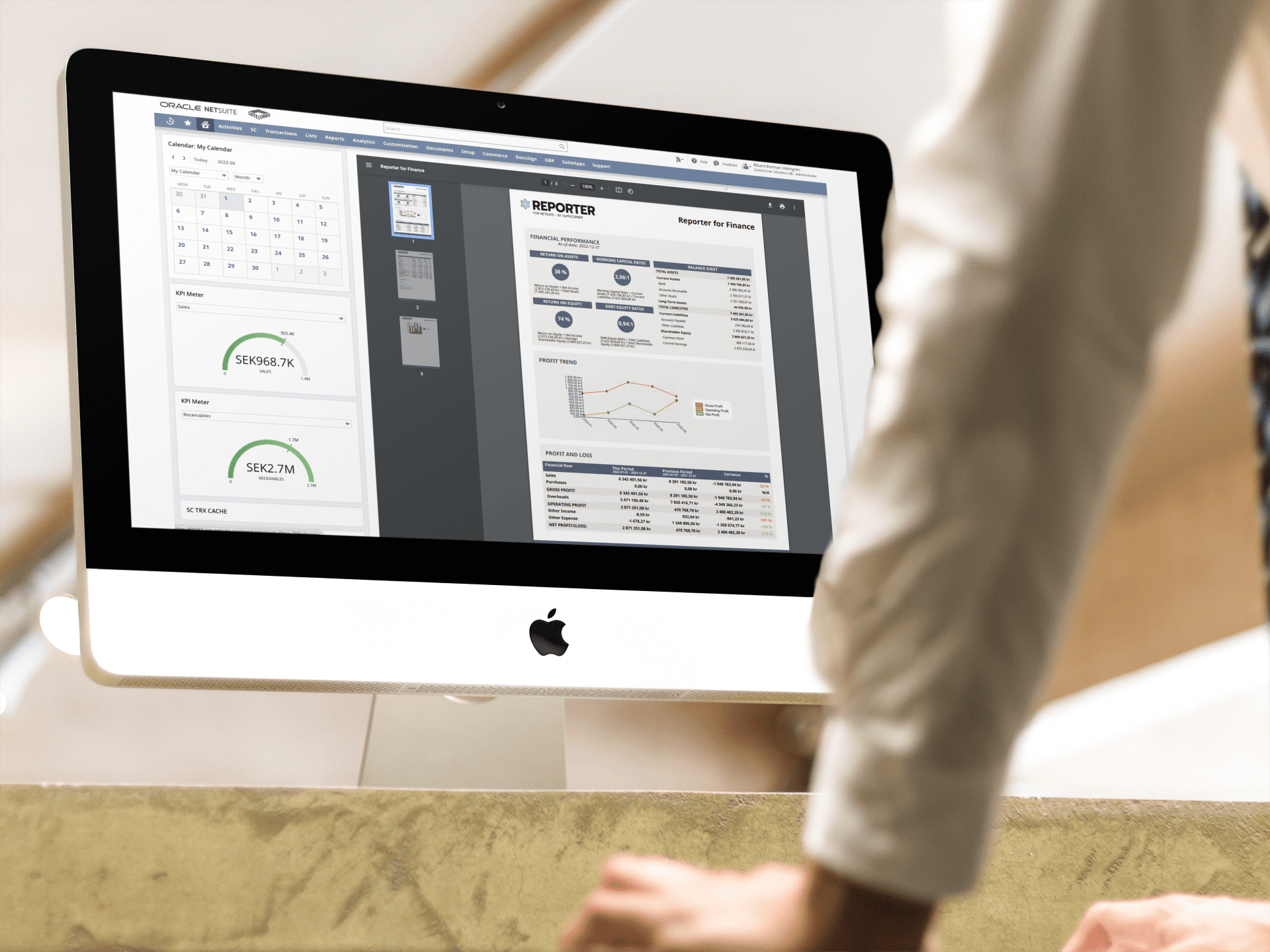
Reporter comes with ready-made reports for finance, projects, and sales. You can also build on the standard templates or create entirely custom reports tailored to your needs.
Whether it’s for internal management, customer presentations, or board reports, each output can be designed to match the way your organization works.

Do you need something beyond the standard features? SuiteCorner has extensive experience helping companies and other NetSuite partners build advanced reporting solutions.
Reporter is often used to create contracts, product sheets, and customer letters with data connected directly to NetSuite. As a partner, we support everything from technical implementation to strategic advisory services—ensuring you get the maximum value from the tool.
Yes, Reporter provides both ready-made report templates and flexible tools for creating custom dashboards and scheduled reports in NetSuite.
Reporter clarifies key metrics and automates reporting, giving management faster and more reliable decision data based on reports in NetSuite.
Reporter for NetSuite offers significantly greater flexibility compared to NetSuite’s built-in reporting tools. With Reporter, you can combine numbers, charts, text, and images in a customized layout and generate professional reports in a format that can be shared directly from the dashboard or via email. This enables more visually appealing and business-adapted reports without the need to export data manually.
Yes. With Reporter for NetSuite, you can schedule reports for automatic distribution, for example ahead of monthly financial closings or board meetings. Reports can be sent via email and displayed directly on the NetSuite dashboard, reducing manual work and giving decision-makers faster access to updated information.
Absolutely. Reporter is often used to create professional documents such as product sheets, contracts, quotes, and customer letters — with a direct connection to customer data in NetSuite. This makes it easy to produce consistent material for both internal and external purposes, without needing to export or process the information externally.

Fill out the form below, and we’ll send you more information about Reporter for NetSuite.